The Document Layer for AI Agents
The deterministic document layer agents call when the output has to be right
AI agents are great at reasoning, orchestrating, and taking action — but not at producing the same invoice, contract, or certificate byte-for-byte every time. DocsAutomator is the tool they call when the output has to match your template, pull real data, and survive legal review — via MCP, in any client.








Key Benefits
Why teams choose DocsAutomator for AI & Agents
Byte-Identical Output, Every Run
Your invoice, contract, or certificate renders the same way every time the agent calls it. Same layout, same branding, same tax ID, same footer. Templates remove creative drift — agents handle the trigger, DocsAutomator handles the render.
Real Data from Your Sources
Agents don't have to reason their way through your Airtable base, SmartSuite solution, or Google Sheet. DocsAutomator pulls real records, expands linked fields, handles line items up to 3 levels deep, and fills your template with the actual values.
E-Signatures, Not a Bolt-On
Generate → send for signing → track completion: one primitive, one agent call. Legally recognised e-signatures, with full audit trail. The whole lifecycle, not just the PDF.
MCP-Native, Works Everywhere
Every DocsAutomator tool is available through one hosted server at mcp.docsautomator.co, with nothing to install. It works with Claude, ChatGPT, Claude Code, Cursor, VS Code and any other MCP client. Connect once and call it from any agent.
Document Automation Meets AI
What changes when your AI assistant can generate documents
Traditional Workflow
- Open DocsAutomator dashboard, find automation
- Navigate to data source, find the right record
- Click generate, wait, download the PDF
- Email the document manually or check delivery
- Switch between tools for every step
With AI & MCP
- "Generate an invoice for Acme Corp's latest order"
- AI finds the automation, prepares the data
- Document generated and PDF URL returned in chat
- "Send it to their billing contact for signing"
- Everything happens in one conversation
Start automating & signing in minutes!
MCP Server Capabilities
Everything DocsAutomator does, as tools your AI agent can call
Document Generation Tools
create_document fills a template with your data, including line items up to 3 nesting levels, conditional sections and custom document names. It runs in preview, test or live mode, and get_job_status follows long runs.
Automation Management
list_automations, get_automation, create_automation, duplicate_automation and delete_automation, plus tools that connect a data source, map fields and set triggers, line items, conditions and output. Your AI agent can set up and run entire workflows.
Acceptance and E-Signature
Set up acceptance or signing, send the request, list sessions, read session details and audit trails, get signing links, send reminders, resend invitations and cancel requests. The full lifecycle, from send to the signed PDF.
Template Tools
Design a Word or Google Docs template from a prompt, match it to a brand from a website, edit it or undo an edit, start from the template gallery, upload your own Word or PDF template, and list its placeholders.
Start automating & signing in minutes!
How it works
Get started in minutes
Add DocsAutomator to your AI agent
claude mcp add --transport http docsautomator https://mcp.docsautomator.co/mcp
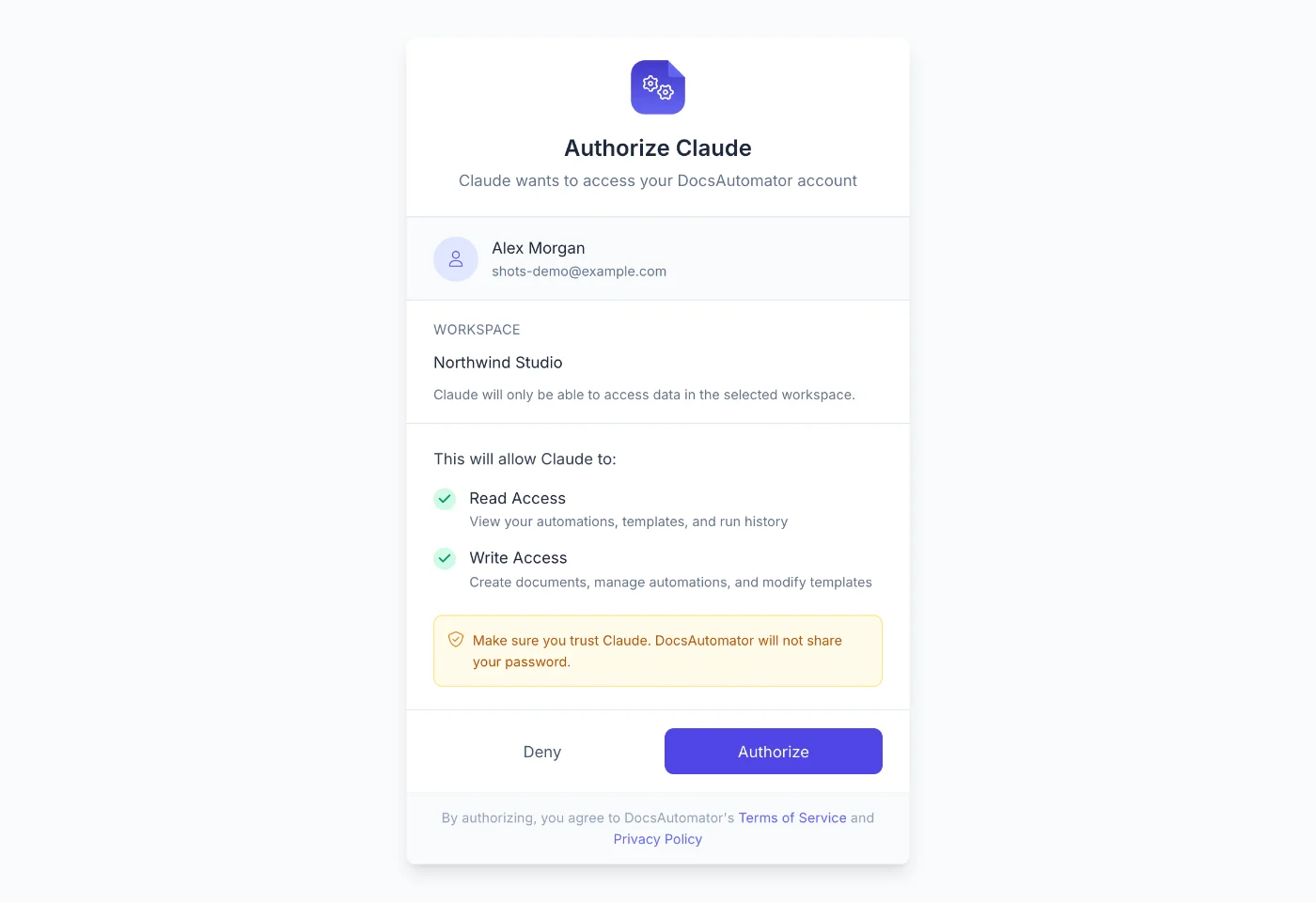
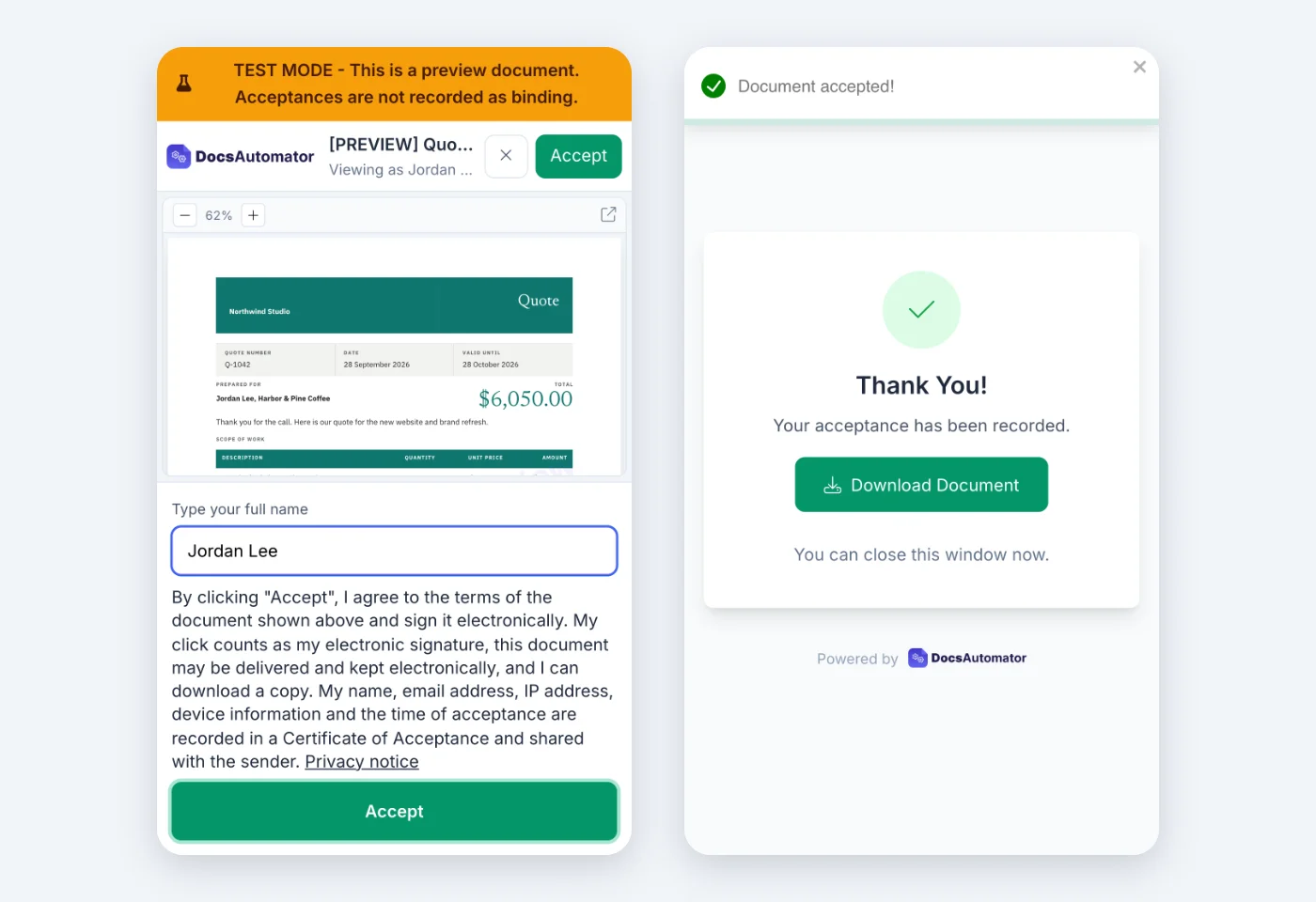
Ask for a quote in your brand
Make a quote in the style of https://your-website.com and send it to me at you@example.com for acceptance. Use DocsAutomator and send it in test mode.
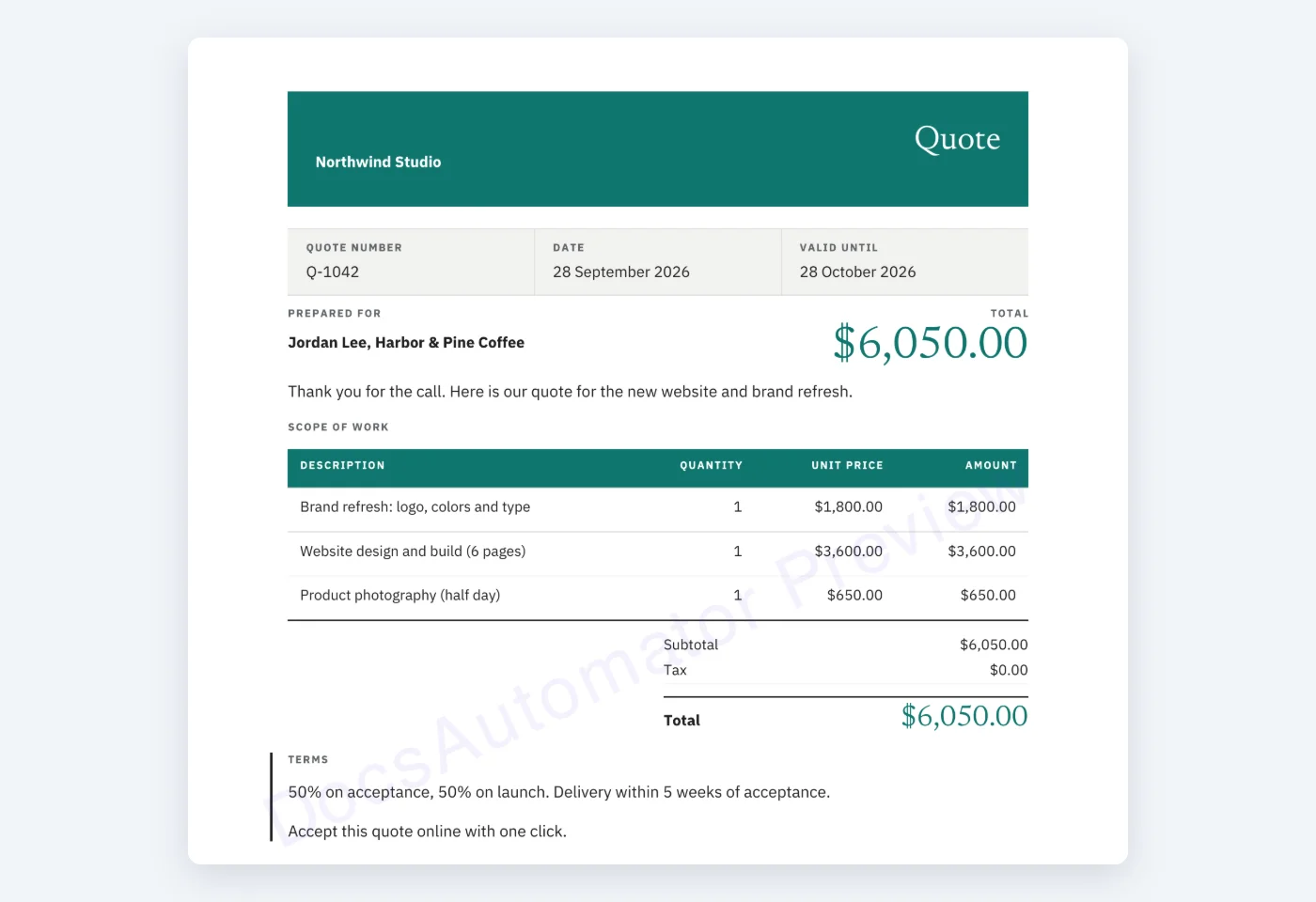
Accept it on your phone
Learn more in our Knowledge Base
Start automating & signing in minutes!
Use Cases
Popular ways teams use AI & Agents
AI-Powered Contract Generation
Tell your AI assistant: "Create a service agreement for Acme Corp, $50k annual, starting April 1." The AI generates the contract using your template and sends it for e-signatures.
Developer Workflow Automation
Use DocsAutomator's MCP tools inside Cursor or Claude Code to generate project documentation, invoices, or reports without leaving your development environment.
Autonomous Document Agents
Build AI agents that monitor data sources and generate documents autonomously. When a deal closes in your CRM, the agent generates the contract, triggers signing, and tracks completion.
Conversational Reporting
Ask your AI: "Generate this month's sales report and email it to the leadership team." The AI pulls data, generates the report, and triggers email delivery through MCP tools.
and many more...
Customer Voices
Don't take our word for it. Here's what our customers say about us:
DocsAutomator has been a game-changer for our company when it comes to creating documents both internally and for our clients. The tool's ease of use has made it simple for us to design documents without the need for technical expertise.

Jesús Gazca
I was looking for a convenient solution to generate Google docs based on Airtable data, which supported features like Line Items and Dynamic Folder Creation. I was thrilled to find DocsAutomator, the experience and support has been excellent.
Doug H.
DocsAutomator has helped our company tremendously with invoice issuing automation. We use Airtable and built-in extensions there have many limitations that prevented us from creating beautiful informative invoices.

Viktor Ivanov
CEO, ViktorLaw
DocsAutomator has decreased the amount of time I spend making the repeatable and batch documents I need for my business. [...] It's easy to set up and a very user friendly no code tool. Plus they are always making improvements. Love it.
Patrick Beseda
DocAutomator has helped my business automate invoices, contacts, and quarterly reports for our clients. This product saves us a lot of time, allowing us as a property management company to focus more on asset management.
Eran
I wonder why I lost so much time using page designer on Airtable. This is the best solution for regarding functionality, ease of use and price. I definitely recommend is. It s a no brainer - really! He also offers precise and super fast support!

Florence Bouchat
Why agents need a document tool
Agents are powerful — but "mostly right" isn't good enough for invoices, contracts, or anything that goes to a customer, regulator, or accountant. Here's what changes when the agent calls DocsAutomator instead of rendering a document itself.
LLMs are non-deterministic by design — useful for most things, risky for artifacts that have to match exactly every time. Templates constrain output to zero creative drift: layout, numbering, tax IDs, and legal footers stay fixed; only the data varies. Every invoice survives legal review, every contract audits cleanly.
A generic "make a PDF" tool asks the agent to reason about your schema. DocsAutomator already knows Airtable's linked records, SmartSuite's nested fields, ClickUp's tasks, and Google Sheets' ranges. Real records in, real documents out — no hallucinated line items.
Generating a 4-page proposal from scratch per run burns tokens, seconds, and money. Filling a template is near-zero LLM work and milliseconds. At 5,000 docs/month the math isn't close — and your compliance team is far happier when every document traces back to a reviewed template.
A generated PDF is half the job. DocsAutomator handles the rest in the same agent call: save to Drive, email with conditions, send for legally binding e-signature, track completion, fire webhooks. One primitive, one conversation.
Start automating & signing in minutes!
AI Agents + Any Data Source








Frequently Asked Questions
mcp.docsautomator.co/mcp. Add the URL to your AI app and sign in to DocsAutomator. No local server, no Docker, no npm packages.Start automating & signing in minutes!
Explore more features
Everything you need for document automation
AI Template Generator
Describe a document and let AI create a professionally designed Word (.docx) template for you.
Google Docs Templates
Build templates in Google Docs, one of the most intuitive document tools on the web.
Word Templates
Upload a Microsoft Word .docx template and generate Word or PDF documents from your data.
E-Signatures
Collect legally binding e-signatures on your generated documents.
Email Automation
Generate documents and email them as PDF attachments automatically.
Dynamic Line Items
Handle invoices, reports, and itemized lists with dynamic line items including nested data.
Conditional Logic
Show, hide, or style content conditionally based on your data.
AI Field Mapping
Map or generate sample data in seconds with the help of AI.
PDF Generation & Delivery
Generate PDFs, save to Google Drive or OneDrive, send via email, or trigger webhooks.
Batch Processing
Generate dozens of documents in parallel with queue-based batch processing.
REST API
Generate documents programmatically with sync/async modes and webhooks.
The document layer behind AI-powered teams:







Make DocsAutomator the document primitive your agents call
Deterministic output, real data, e-signatures included. Trusted by 1,215 businesses.
Unlimited testing, no credit card required