

DocsAutomator vs. DocuGenerate
Last Update: March 31, 2026
Discover the more intuitive document automation alternative to DocuGenerate.
DocsAutomator makes it easy to create stunning documents from your data, no coding skills required.
Overview
DocsAutomator
An intuitive document automation tool that leverages Google Docs, Microsoft Word, and PDF templates for template creation, allowing users to design templates in a familiar environment.
DocuGenerate
A document generation platform that creates documents from Microsoft Word (DOCX) templates by replacing merge tags with JSON data, with REST API and Zapier integration.
Start automating & signing in minutes!
Key Features
Pricing
Worth mentioning
Start automating & signing in minutes!
Unique Advantages of DocsAutomator
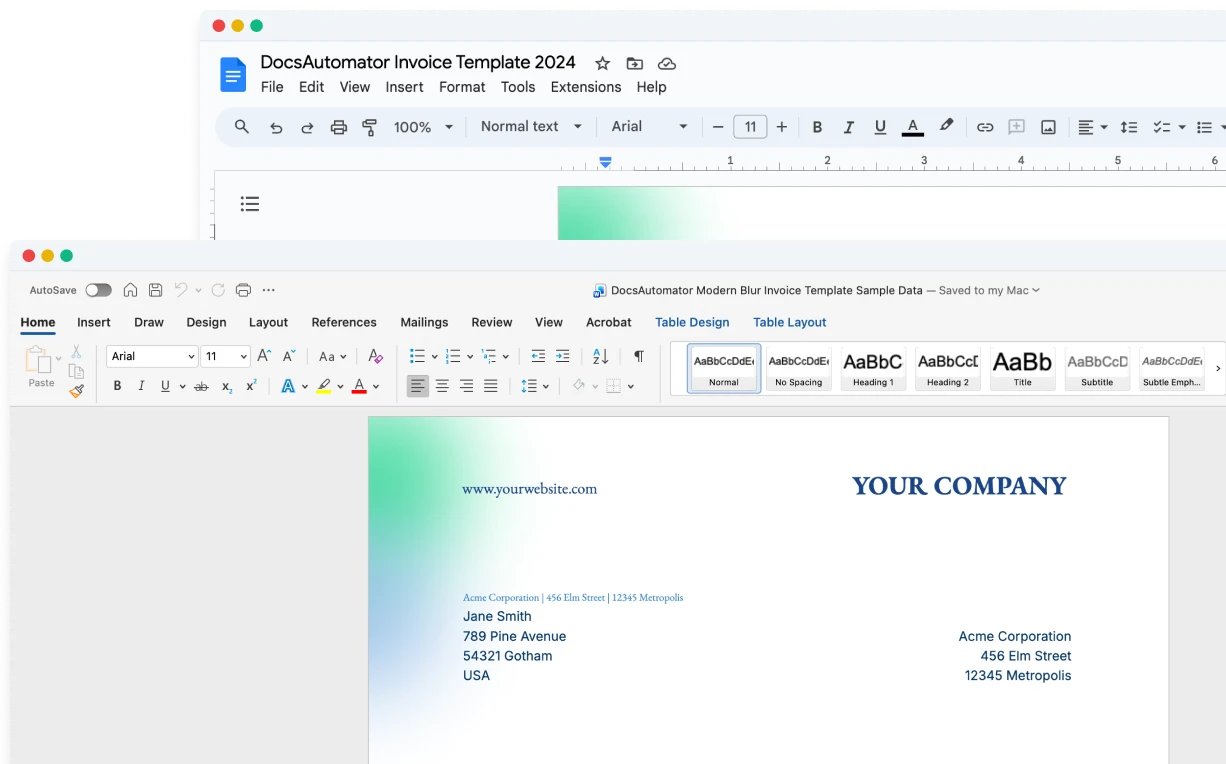
Google Docs, Microsoft Word & PDF Templates
DocsAutomator works with Google Docs, Microsoft Word, and PDF overlay, so your team isn't locked into one ecosystem. DocuGenerate only supports Microsoft Word (DOCX) templates, with no Google Docs or PDF option.
Unlimited Templates on All Plans
DocsAutomator includes unlimited automations and templates on every paid plan. DocuGenerate limits templates to as few as 2-5 on lower plans.
Built-in E-Signatures
DocsAutomator offers legally binding e-signatures. DocuGenerate has no e-signature functionality, requiring a completely separate tool.
Start automating & signing in minutes!
Conclusion
Start automating & signing in minutes!
Some of the teams / institutions automating their documents with DocsAutomator:





Customer Voices
Don't take our word for it. Here's what our customers say about us:
I've been a Glide developer for a few years now and have a handful of clients that are going to benefit so much with regards to saving a huge amount of time with invoicing and quoting. A big thanks to you and your team mate!

Mitch Francis
DocsAutomator has helped our company tremendously with invoice issuing automation. We use Airtable and built-in extensions there have many limitations that prevented us from creating beautiful informative invoices.

Viktor Ivanov
CEO, ViktorLaw
I absolutely would recommend DocsAutomator to a colleague, it makes your life easier for your team. The support is awsome too.

Stefano Gualtieri
I have been using DocAutomator for about 2 weeks now and it is fantastic! Very easy to set up the configuration between Google Docs, Airtable, and DocAutomator.
Jason Wilson
DocsAutomator is everything the Page Designer in Airtbale should have been. It is a powerful automation platform that allows me to pull complex data from Airtable and apply a design that I have full control over!
Dustin
DocsAutomator has proven to be an invaluable asset for our business, streamlining the automation of emails and documents in a seamless and efficient manner. It has significantly simplified tedious tasks, making our workflow more efficient.

Thembinkosi Malefo
Start automating & signing in minutes!
Strong reasons for choosing DocsAutomator
All you need to effortlessly automate your documents.
DocsAutomator natively integrates with your favorite apps


Fast document generation
Generate documents blazingly fast - independent of length and content.
Unlimited pages
Need to dynamically produce a 200-page report? DocsAutomator allows for documents of any length.
Dynamic Sections
Easily generate documents with fully customizable sections that adapt to different use cases.
Dynamic Line Items
Handle invoices, reports, and any kind of itemized lists effortlessly with dynamic line items including nested data.

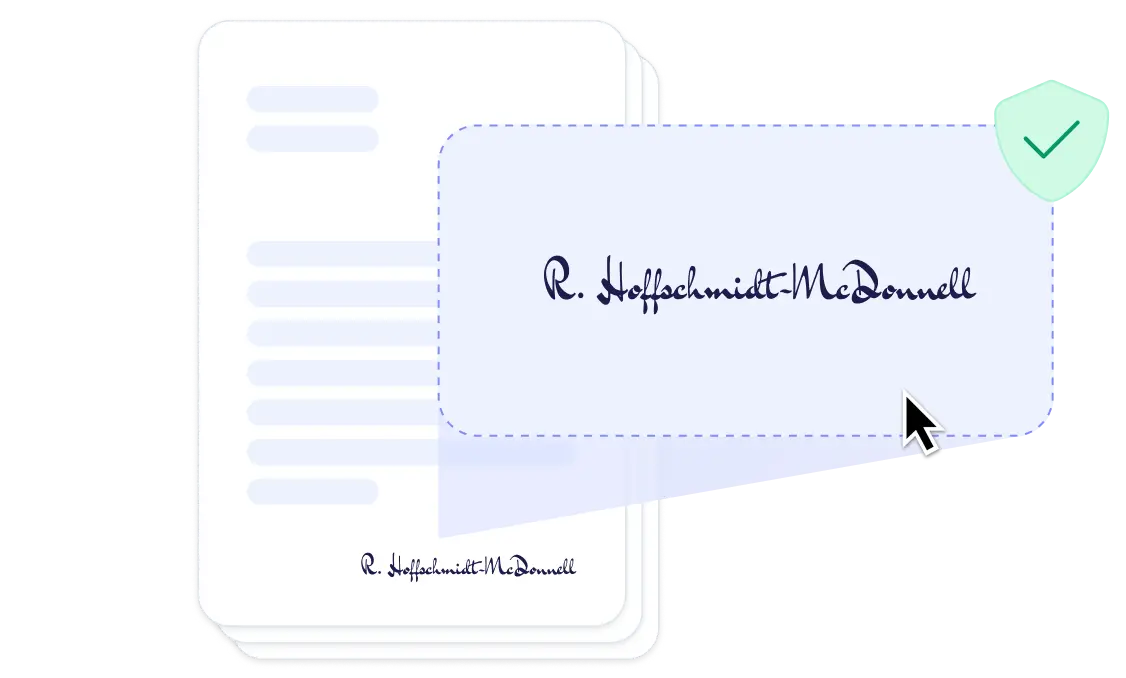
DocsAutomator eSign
Collect legally binding e-signatures on your generated documents.
AI data mapping
Map or generate sample data in seconds with the help of AI.
Preview mode
Unlimited previews until you're happy - no wasted credits on testing.
Hide & style values conditionally
Generate complex documents effortlessly by hiding or styling values conditionally.
Dynamic images
Add automatically pre-processed and converted images dynamically to your documents
Automated Emails
Send generated documents via email automatically to your recipients, from your own Gmail or Outlook account or DocsAutomator Mail.
Save PDFs to Google Drive or OneDrive
Store and organize your generated PDFs directly in Google Drive or Microsoft OneDrive.
Merge Existing PDFs
Combine multiple PDFs into one seamlessly within DocsAutomator.
Save Google Doc to continue editing
Automation meets human touch - continue editing automatically generated documents in Google Docs.
Build templates in the tools you already know

Start automating & signing in minutes!
More alternatives
Documint
Compare DocsAutomator and Documint and see what differentiates both from each other.

Docupilot
Compare DocsAutomator and Docupilot and see what differentiates both from each other.

Typeflow
Compare DocsAutomator and Typeflow and see what differentiates both from each other.

Formstack Documents
Compare DocsAutomator and Formstack Documents and see what differentiates both from each other.

Portant
Compare DocsAutomator and Portant and see what differentiates both from each other.

CraftMyPDF
Compare DocsAutomator and CraftMyPDF and see what differentiates both from each other.

Plumsail Documents
Compare DocsAutomator and Plumsail Documents and see what differentiates both from each other.

PDFMonkey
Compare DocsAutomator and PDFMonkey and see what differentiates both from each other.

Autocrat
Compare DocsAutomator and Autocrat and see what differentiates both from each other.

Form Publisher
Compare DocsAutomator and Form Publisher and see what differentiates both from each other.