

DocsAutomator vs. Autocrat
Last Update: August 28, 2026
Discover the more intuitive document automation alternative to Autocrat.
DocsAutomator makes it easy to create stunning documents from your data, no coding skills required.
Overview
DocsAutomator
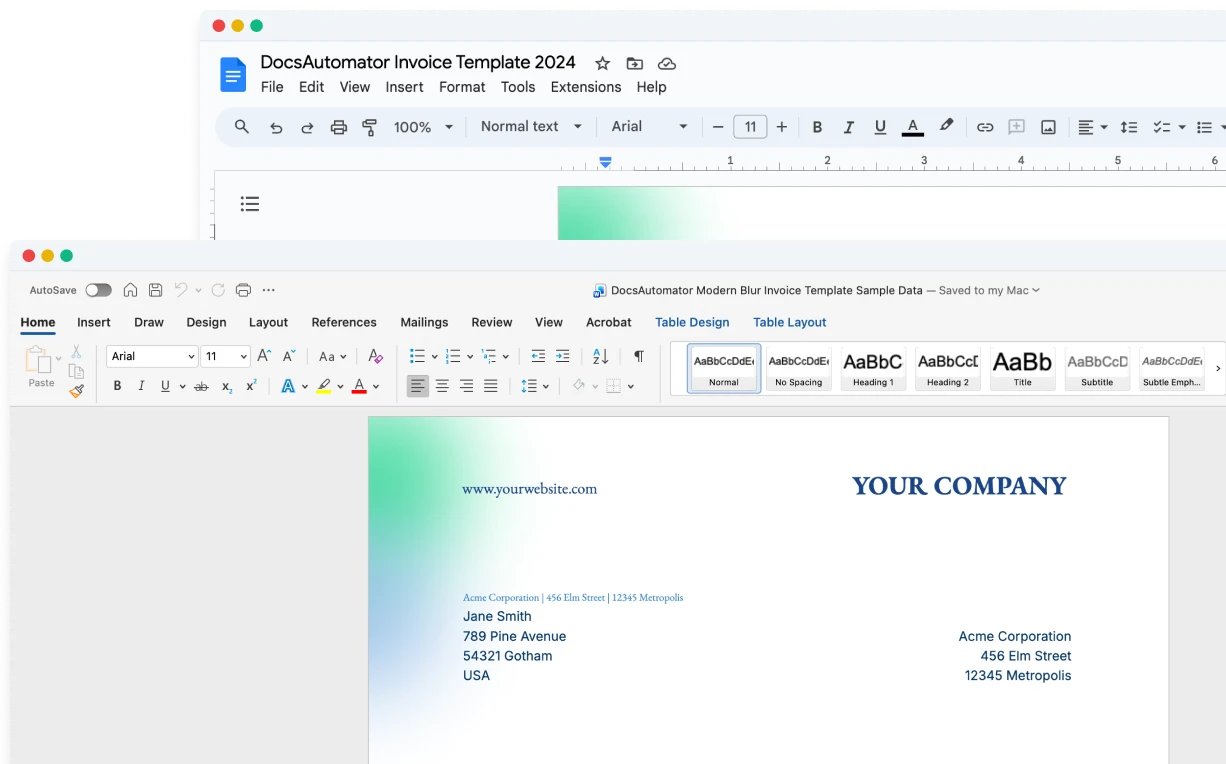
An intuitive document automation tool that leverages Google Docs, Microsoft Word, and PDF templates for template creation, allowing users to design templates in a familiar environment.
Autocrat
A free Google Sheets add-on that merges data from Google Sheets into Google Docs or Google Slides templates, generating PDFs and documents. Primarily popular in educational settings.
Start automating & signing in minutes!
Key Features
Pricing
Worth mentioning
Start automating & signing in minutes!
Unique Advantages of DocsAutomator
10+ Data Sources vs. Google Sheets Only
DocsAutomator connects to Airtable, Notion, Google Sheets, Google Forms (read directly, no linked sheet), SmartSuite, ClickUp, and 5+ more data sources. Autocrat is limited to Google Sheets as its only data source.
PDF Templates & Advanced Features
DocsAutomator supports PDF Templates for overlaying data on existing PDFs, plus conditional rendering, nested line items (up to 3 levels), dynamic images, and real-time preview. Autocrat offers basic text replacement only.
Built-in E-Signatures & Email
DocsAutomator offers legally binding e-signatures and automated email delivery of generated documents. Autocrat has no e-signature or automated email capability.
Start automating & signing in minutes!
Conclusion
Start automating & signing in minutes!
Some of the teams / institutions automating their documents with DocsAutomator:





Customer Voices
Don't take our word for it. Here's what our customers say about us:
We love the ease of being able to use a template from google docs. Other softwares' we reviewed were much more complicated. [...] We also love how easily it connects to Airtable.

Haiyan Khan
I wonder why I lost so much time using page designer on Airtable. This is the best solution for regarding functionality, ease of use and price. I definitely recommend is. It s a no brainer - really! He also offers precise and super fast support!

Florence Bouchat
DocsAutomator has proven to be an invaluable asset for our business, streamlining the automation of emails and documents in a seamless and efficient manner. It has significantly simplified tedious tasks, making our workflow more efficient.

Thembinkosi Malefo
I have to write 20 analysis reports about start-ups per year. It took me up to one week for the 40 pages. With the new airtable AI fields, combined with DocsAutomator, I'm down at around 6 hours of work per report and saved me almost 700h per year.

Christoph Bernhard
DocAutomator has helped my business automate invoices, contacts, and quarterly reports for our clients. This product saves us a lot of time, allowing us as a property management company to focus more on asset management.
Eran
Docsautomator give us the perfect solution for our needs. and the most important - they have GREAT support.
Isaac Eran
Start automating & signing in minutes!
Strong reasons for choosing DocsAutomator
All you need to effortlessly automate your documents.
DocsAutomator natively integrates with your favorite apps


Fast document generation
Generate documents blazingly fast - independent of length and content.
Unlimited pages
Need to dynamically produce a 200-page report? DocsAutomator allows for documents of any length.
Dynamic Sections
Easily generate documents with fully customizable sections that adapt to different use cases.
Dynamic Line Items
Handle invoices, reports, and any kind of itemized lists effortlessly with dynamic line items including nested data.

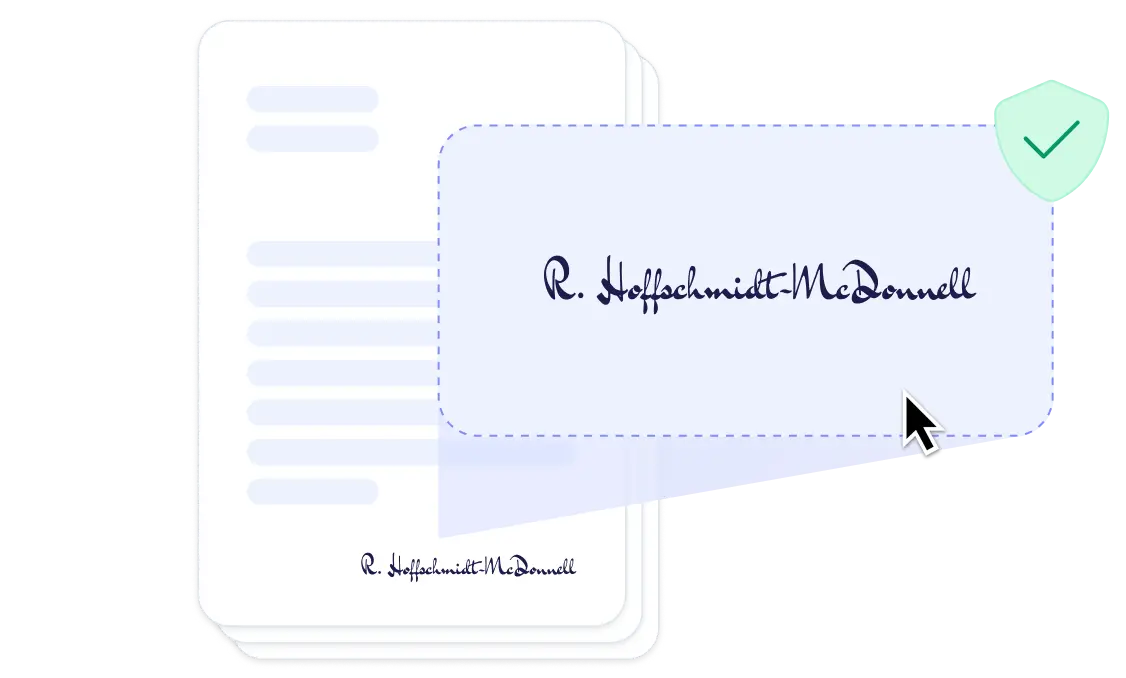
DocsAutomator eSign
Collect legally binding e-signatures on your generated documents.
AI data mapping
Map or generate sample data in seconds with the help of AI.
Preview mode
Unlimited previews until you're happy - no wasted credits on testing.
Hide & style values conditionally
Generate complex documents effortlessly by hiding or styling values conditionally.
Dynamic images
Add automatically pre-processed and converted images dynamically to your documents
Automated Emails
Send generated documents via email automatically to your recipients, from your own Gmail or Outlook account or DocsAutomator Mail.
Save PDFs to Google Drive or OneDrive
Store and organize your generated PDFs directly in Google Drive or Microsoft OneDrive.
Merge Existing PDFs
Combine multiple PDFs into one seamlessly within DocsAutomator.
Save Google Doc to continue editing
Automation meets human touch - continue editing automatically generated documents in Google Docs.
Build templates in the tools you already know

Start automating & signing in minutes!
More alternatives
Documint
Compare DocsAutomator and Documint and see what differentiates both from each other.

Docupilot
Compare DocsAutomator and Docupilot and see what differentiates both from each other.

Typeflow
Compare DocsAutomator and Typeflow and see what differentiates both from each other.

Formstack Documents
Compare DocsAutomator and Formstack Documents and see what differentiates both from each other.

Portant
Compare DocsAutomator and Portant and see what differentiates both from each other.

CraftMyPDF
Compare DocsAutomator and CraftMyPDF and see what differentiates both from each other.

Plumsail Documents
Compare DocsAutomator and Plumsail Documents and see what differentiates both from each other.

PDFMonkey
Compare DocsAutomator and PDFMonkey and see what differentiates both from each other.

DocuGenerate
Compare DocsAutomator and DocuGenerate and see what differentiates both from each other.

Form Publisher
Compare DocsAutomator and Form Publisher and see what differentiates both from each other.