AI Field Mapping Document Automation
Map Data Fields to Templates in Seconds with AI
Stop manually mapping dozens of fields. Let AI intelligently match your data source fields to template placeholders — and generate sample data for testing.








30 Minutes of Mapping → 30 Seconds
AI does the tedious work so you can focus on the result
Manual Field Mapping
- Scroll through 50+ fields to find each match
- Guess which source field maps to which placeholder
- Type sample data by hand to test your template
- Re-map everything when your data source changes
- 30+ minutes for a complex template setup
AI Field Mapping
- AI matches all fields in one click
- AI understands "Company" = {{organization}}
- Realistic sample data generated automatically
- Re-map to new field names instantly
- Under 1 minute for even the most complex templates
Start automating & signing in minutes!
Key Benefits
How AI Field Mapping Speeds Up Your Workflow
Intelligent Field Matching
AI analyzes your data source fields and template placeholders, then suggests the best matches. Review and confirm in seconds.
Save Hours of Setup
Templates with 50+ placeholders that would take 30 minutes to map manually can be mapped in under a minute with AI assistance.
AI Sample Data Generation
Generate realistic sample data for your templates to preview documents before connecting real data. Perfect for testing and prototyping.
Review & Override
AI suggestions are just that — suggestions. You always have full control to review, adjust, or override any mapping before saving.
How AI Matching Works
How AI goes beyond simple name matching to get your fields right
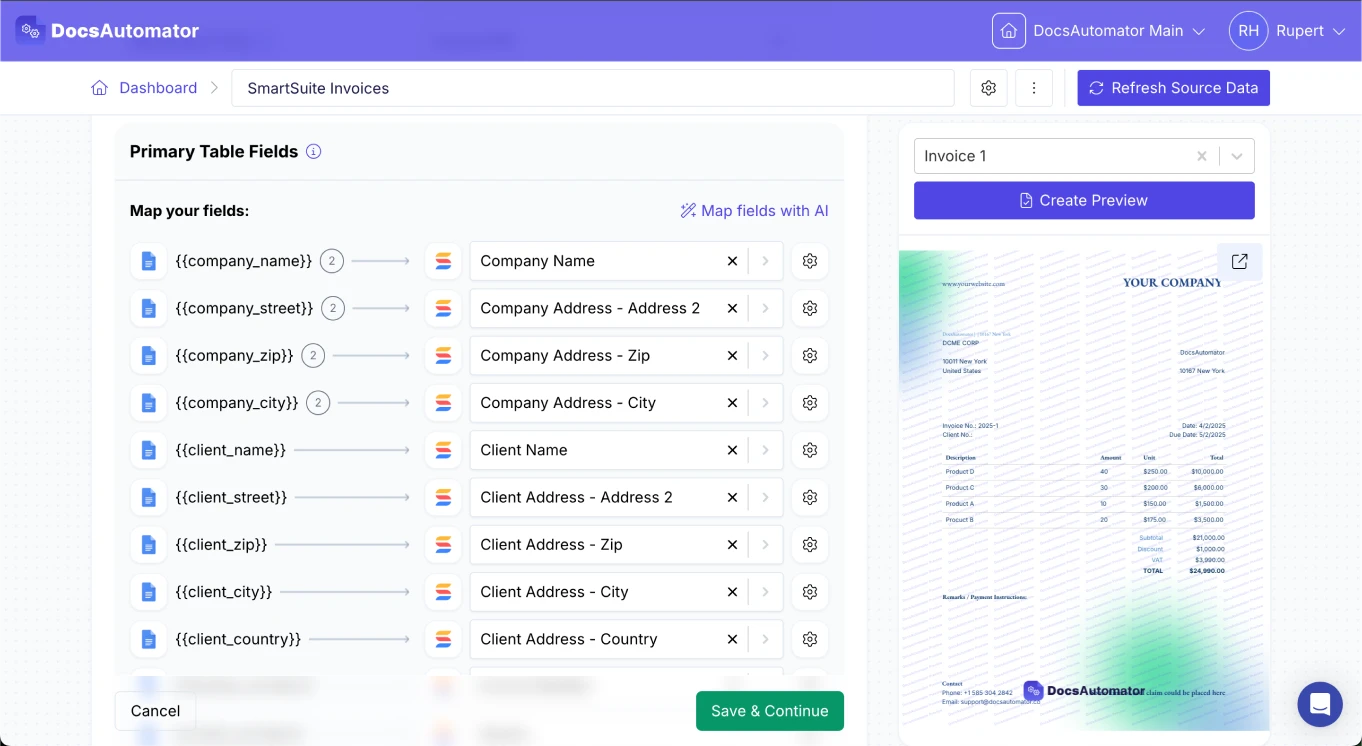
Understands Meaning, Not Just Names
AI looks at what your fields and placeholders actually mean, not just whether the names match exactly. It understands that "Customer Name" matches {{client_name}}, "Email Address" matches {{contact_email}}, and "Total Amount" matches {{invoice_total}}.
Smart Type Matching
The AI knows what kind of data each field contains. It won't suggest putting a date where a number should go, or match a list of options to a single text field. This means fewer mistakes and less time reviewing.
Context-Aware Suggestions
When multiple fields have similar names, the AI uses the surrounding context to tell them apart. If your template has both {{billing_address}} and {{shipping_address}}, it maps each to the correct source field.
Sample Data Generation
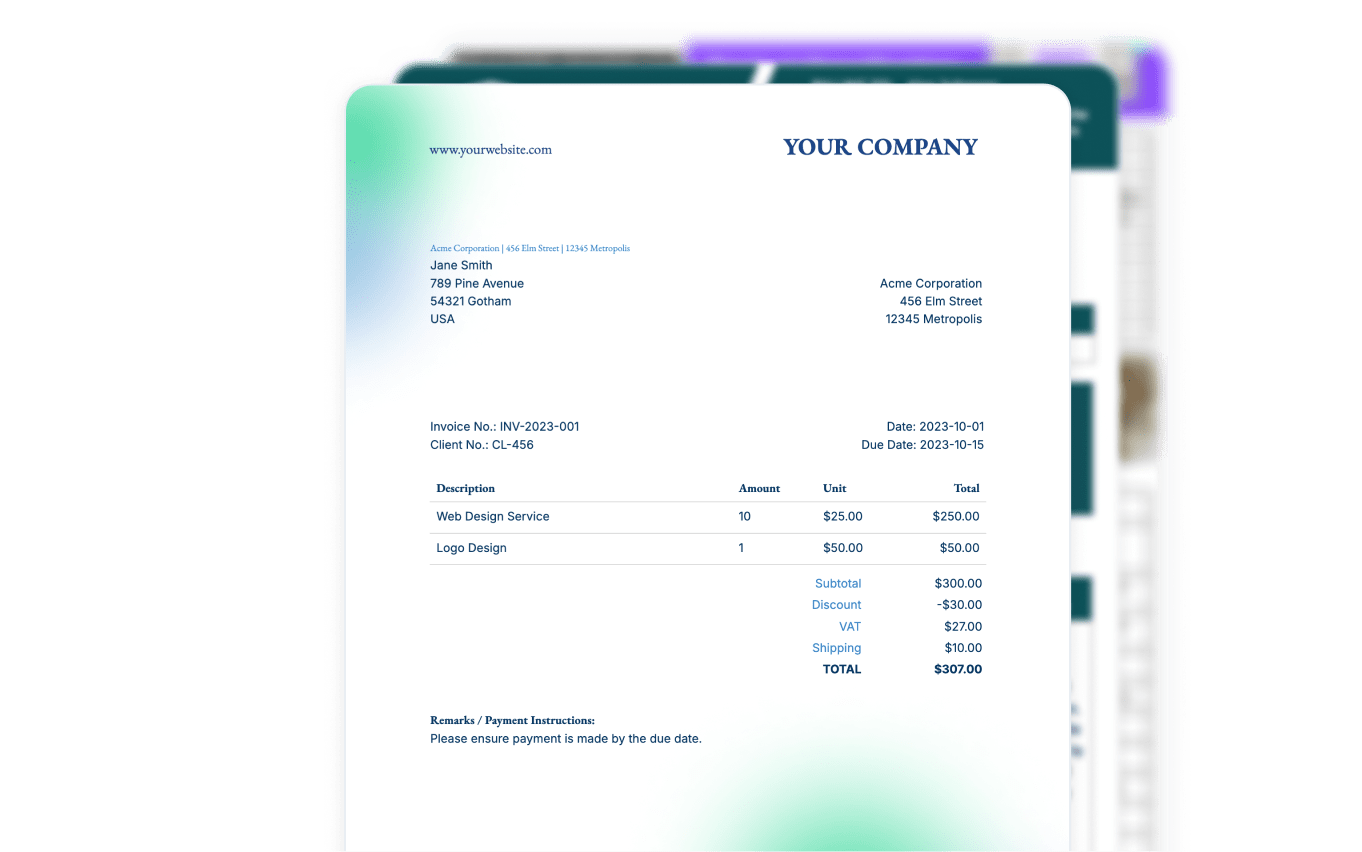
After mapping, AI generates realistic sample data for every placeholder. Preview your document with data that looks real before connecting live records. Invoice totals get dollar amounts, dates get proper formats, and names look like actual names.
Start automating & signing in minutes!
How it works
Get started in minutes
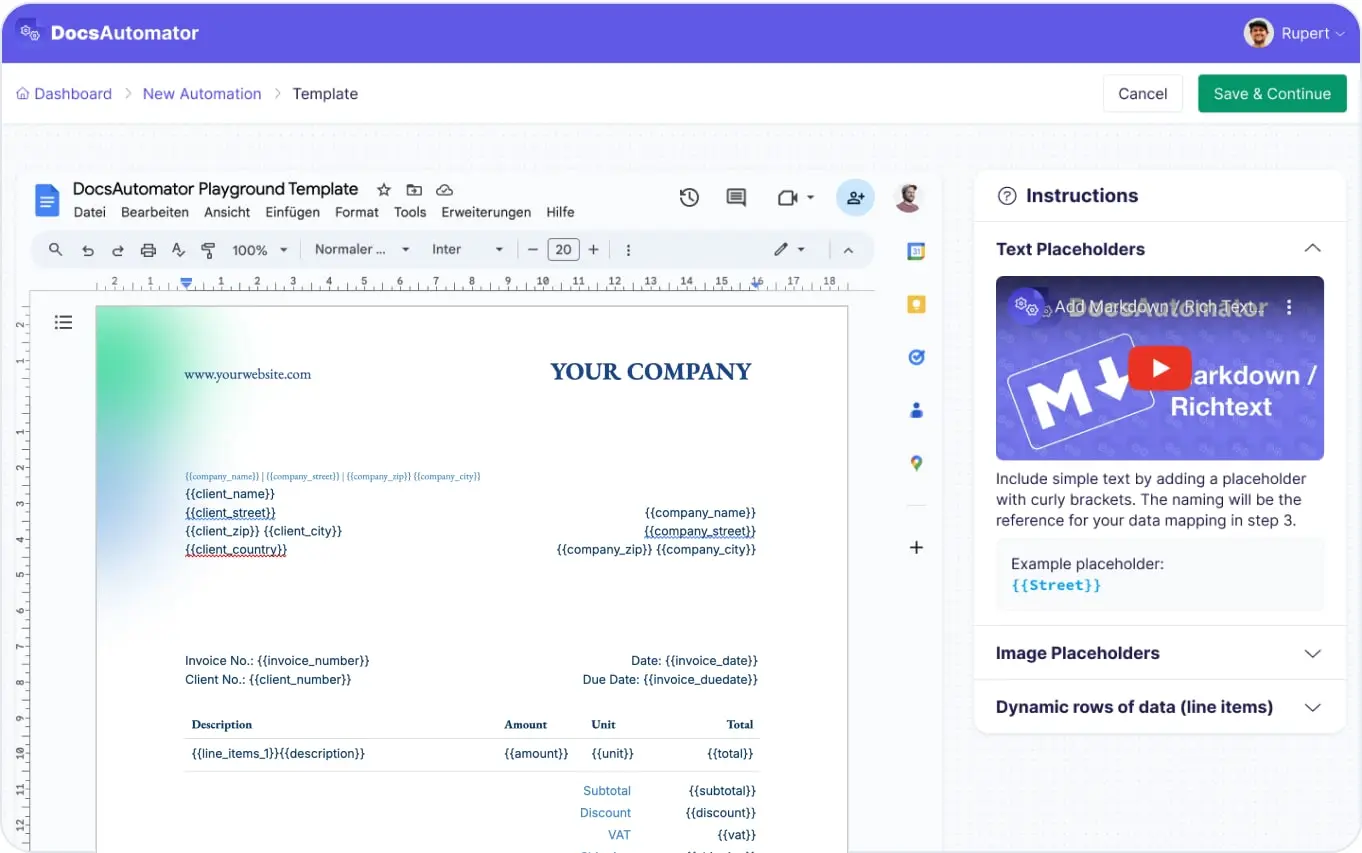
Create Your Template with Placeholders
Let AI Map Your Fields
Preview & Automate
Learn more in our Knowledge Base
Start automating & signing in minutes!
Use Cases
Popular ways teams use AI Field Mapping
Complex Template Setup
Templates with 30-50+ placeholders that would take 30 minutes to map manually can be mapped in under a minute. AI handles the tedious matching so you focus on reviewing the results.
Multi-Table Mapping
When your data source has multiple linked tables (like Airtable), AI maps fields across tables intelligently. It matches primary record fields and line item fields from linked records in a single pass.
Template Migration
Switching data sources or reorganizing your data? AI re-maps your existing template to the new field names instantly. No need to manually update every placeholder when your data structure changes.
Rapid Prototyping
Use AI sample data generation to preview templates before connecting real data. Design and iterate on template layouts with realistic sample data, then connect your live data source when the design is final.
and many more...
Customer Voices
Don't take our word for it. Here's what our customers say about us:
This is the best value for money app for creating template. Easy to use, easy to set up, and we like to support small businesses. Keep going!

Aris Zagklis
We love the ease of being able to use a template from google docs. Other softwares' we reviewed were much more complicated. [...] We also love how easily it connects to Airtable.
Haiyan Khan
DocsAutomator is great to generate on the fly PDF documents. We use it for several applications. it's easy to implement and great to use. I can highly recommend it.
Samuel
DocsAutomator is a life saver for my business. I have been using automations for years with Zapier but recently I discovered DocsAutomator and it totally changed the way we work, reducing the admin time we spend on document creation and modification.
Julie Tchao
DocsAutomator has proven to be an invaluable asset for our business, streamlining the automation of emails and documents in a seamless and efficient manner. It has significantly simplified tedious tasks, making our workflow more efficient.

Thembinkosi Malefo
Before I discovered Docsautomator, generating reports from Airtable was a time-consuming task that drained both my time and energy. However, Docsautomator changed everything and made the process feel effortless.

Kuladej Lertkachonsuk
AI Field Mapping Works with All Data Sources









Frequently Asked Questions
Start automating & signing in minutes!
Explore more features
Everything you need for document automation
AI Template Generator
Describe a document and let AI create a professionally designed Word (.docx) template for you.
Google Docs Templates
Build templates in Google Docs, one of the most intuitive document tools on the web.
Word Templates
Upload a Microsoft Word .docx template and generate Word or PDF documents from your data.
E-Signatures
Collect legally binding e-signatures on your generated documents.
Email Automation
Generate documents and email them as PDF attachments automatically.
Dynamic Line Items
Handle invoices, reports, and itemized lists with dynamic line items including nested data.
Conditional Logic
Show, hide, or style content conditionally based on your data.
PDF Generation & Delivery
Generate PDFs, save to Google Drive or OneDrive, send via email, or trigger webhooks.
Batch Processing
Generate dozens of documents in parallel with queue-based batch processing.
REST API
Generate documents programmatically with sync/async modes and webhooks.
AI & Agents
Give AI assistants the power to generate documents via MCP server.
Teams using AI field mapping with DocsAutomator:







Ready to map fields in seconds with AI?
Trusted by 1,215 businesses for their most critical documents
Unlimited testing, no credit card required