

DocsAutomator vs. Form Publisher
Last Update: August 28, 2026
A Form Publisher alternative that is not tied to Google Forms.
DocsAutomator makes it easy to create stunning documents from your data, no coding skills required.
Overview
DocsAutomator
A hosted document automation tool. Paste a Google Forms link and it reads responses directly, no add-on install. Templates in Google Docs, Microsoft Word, or fillable PDF, with e-signing on every plan and 10+ data sources beyond Forms.
Form Publisher
A Google Forms add-on with 24M+ installs and 4,267 reviews on the Google Workspace Marketplace. Generates documents from form submissions using Google Docs, Sheets, and Slides templates, with approval workflows and native e-signature.
Start automating & signing in minutes!
Key Features
Pricing
Worth mentioning
Start automating & signing in minutes!
Unique Advantages of DocsAutomator
No Add-On to Install
Paste a form link and DocsAutomator reads responses directly. One account covers all your forms, and the same automations work with Airtable, Notion, ClickUp, and 7+ more sources when your data outgrows Forms.
Word & Fillable PDF Templates
Beyond Google Docs: use Microsoft Word templates or overlay data on existing fillable PDFs, with conditional sections, dynamic tables and line items, and dynamic images.
E-Sign on Every Plan
E-signing is included on every plan. For Google Forms, the signer defaults to the respondent's email address, so a consent form or waiver needs no signer setup, and the signed PDF is filed to Google Drive.
Start automating & signing in minutes!
Conclusion
Start automating & signing in minutes!
Some of the teams / institutions automating their documents with DocsAutomator:





Customer Voices
Don't take our word for it. Here's what our customers say about us:
Docsautomator is a gamechanger in No Code PDF creation with Airtable, Glide or through API (which through Zapier or Make opens it up for any application).

Nathan Noëth
Founder, House Raccoon
I have been using DocAutomator for about 2 weeks now and it is fantastic! Very easy to set up the configuration between Google Docs, Airtable, and DocAutomator.

Jason Wilson
As a botanical garden operator staffed by volunteers, DocsAutomator has revolutionized our document generation process. This powerful tool seamlessly integrates with our Airtable databases, allowing us to effortlessly create a wide range of docs!
Ron Majiros
I absolutely would recommend DocsAutomator to a colleague, it makes your life easier for your team. The support is awsome too.
Stefano Gualtieri
DocsAutomator is everything the Page Designer in Airtbale should have been. It is a powerful automation platform that allows me to pull complex data from Airtable and apply a design that I have full control over!
Dustin
DocsAutomator integrates very nicely with Airtable, letting my team create highly customized itineraries that handle dozens of variables. We've used the software for several years now and have no reason to shop around for other solutions.
Heather Wilson
Start automating & signing in minutes!
Strong reasons for choosing DocsAutomator
All you need to effortlessly automate your documents.
DocsAutomator natively integrates with your favorite apps


Fast document generation
Generate documents blazingly fast - independent of length and content.
Unlimited pages
Need to dynamically produce a 200-page report? DocsAutomator allows for documents of any length.
Dynamic Sections
Easily generate documents with fully customizable sections that adapt to different use cases.
Dynamic Line Items
Handle invoices, reports, and any kind of itemized lists effortlessly with dynamic line items including nested data.

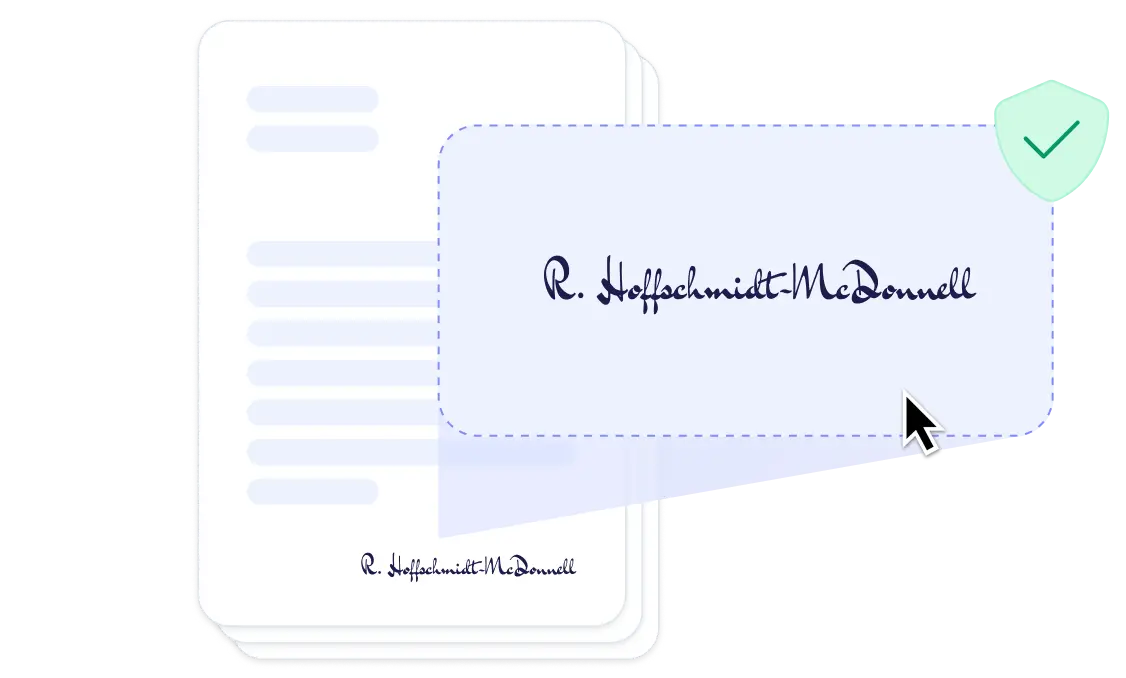
DocsAutomator eSign
Collect legally binding e-signatures on your generated documents.
AI data mapping
Map or generate sample data in seconds with the help of AI.
Preview mode
Unlimited previews until you're happy - no wasted credits on testing.
Hide & style values conditionally
Generate complex documents effortlessly by hiding or styling values conditionally.
Dynamic images
Add automatically pre-processed and converted images dynamically to your documents
Automated Emails
Send generated documents via email automatically to your recipients, from your own Gmail or Outlook account or DocsAutomator Mail.
Save PDFs to Google Drive or OneDrive
Store and organize your generated PDFs directly in Google Drive or Microsoft OneDrive.
Merge Existing PDFs
Combine multiple PDFs into one seamlessly within DocsAutomator.
Save Google Doc to continue editing
Automation meets human touch - continue editing automatically generated documents in Google Docs.
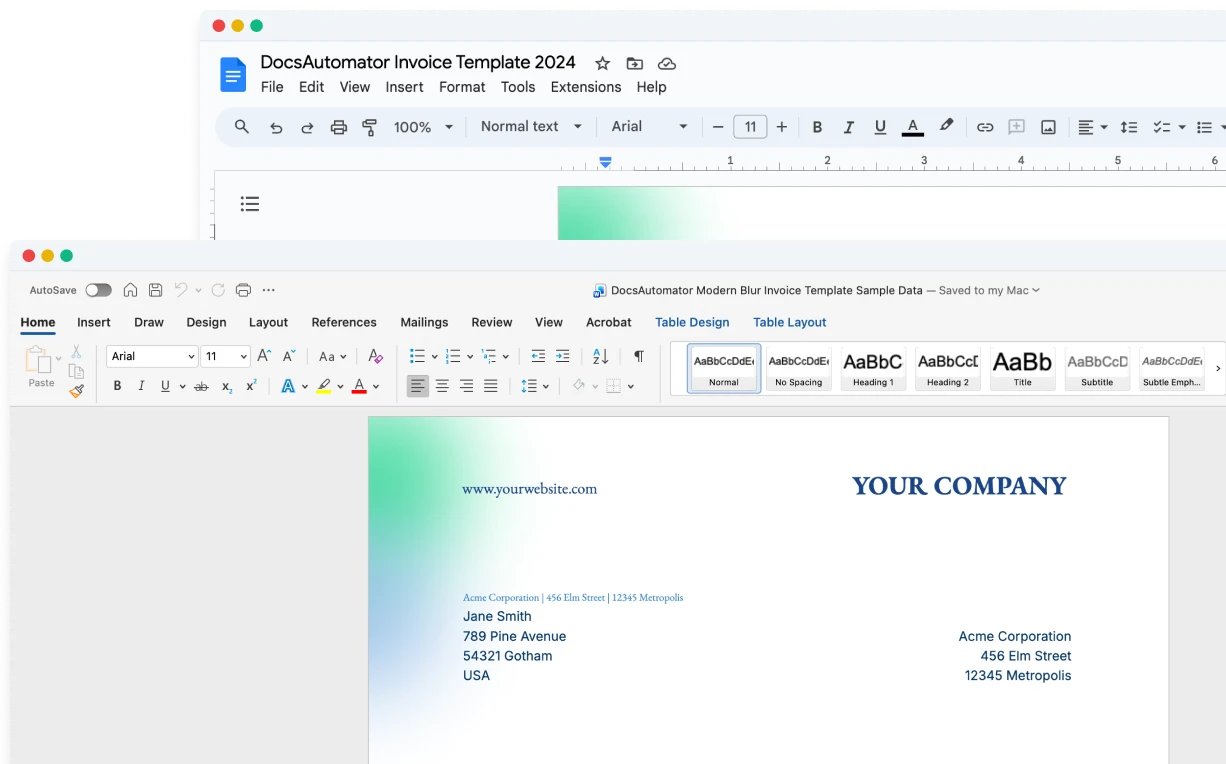
Build templates in the tools you already know

Start automating & signing in minutes!
More alternatives
Documint
Compare DocsAutomator and Documint and see what differentiates both from each other.

Docupilot
Compare DocsAutomator and Docupilot and see what differentiates both from each other.

Typeflow
Compare DocsAutomator and Typeflow and see what differentiates both from each other.

Formstack Documents
Compare DocsAutomator and Formstack Documents and see what differentiates both from each other.

Portant
Compare DocsAutomator and Portant and see what differentiates both from each other.

CraftMyPDF
Compare DocsAutomator and CraftMyPDF and see what differentiates both from each other.

Plumsail Documents
Compare DocsAutomator and Plumsail Documents and see what differentiates both from each other.

PDFMonkey
Compare DocsAutomator and PDFMonkey and see what differentiates both from each other.

DocuGenerate
Compare DocsAutomator and DocuGenerate and see what differentiates both from each other.

Autocrat
Compare DocsAutomator and Autocrat and see what differentiates both from each other.