

The Airtable Page Designer Alternative
Last Update: August 26, 2026
Page Designer got you this far.
Then the quote needed real line items, page breaks in the right places, and a signature at the end.
Where Page Designer stops
Start automating & signing in minutes!
Moving takes an afternoon, not a project
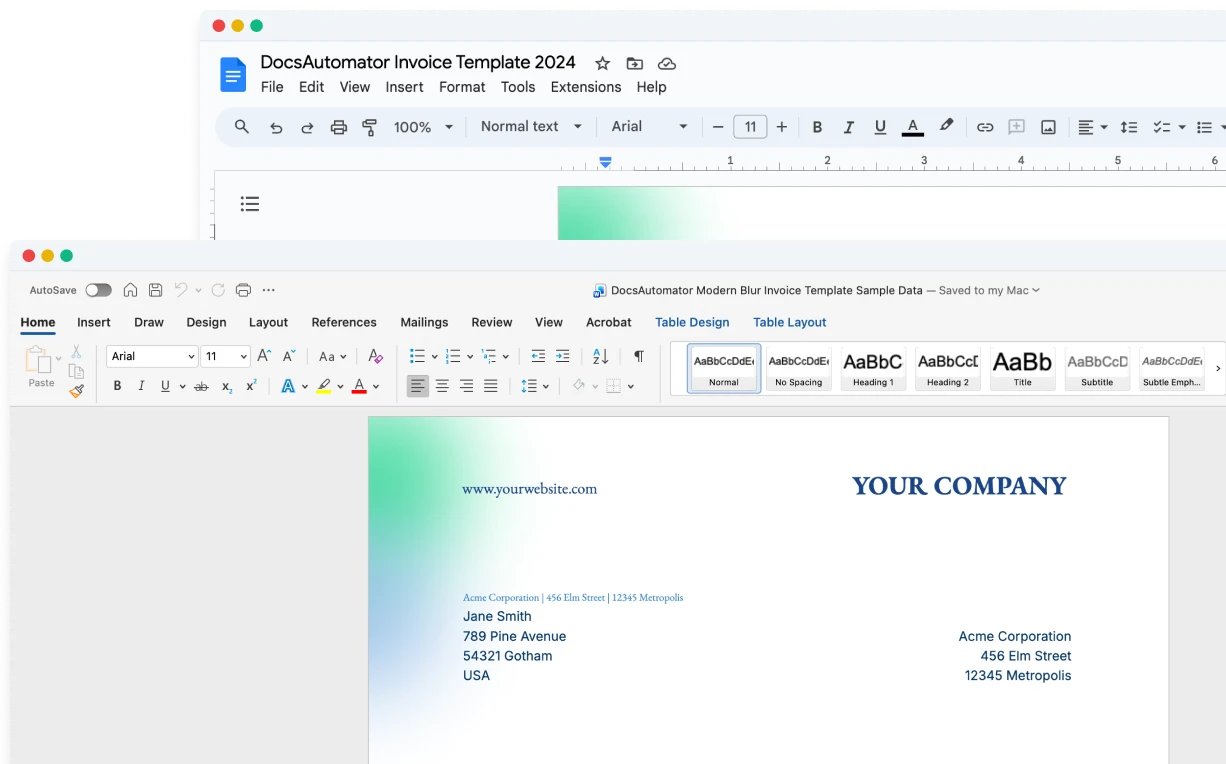
Your data stays in Airtable. Your template moves into a file you already know how to edit.
1. Connect Airtable
Connect your base and table. DocsAutomator reads your fields, linked records, and attachments natively.
2. Let the Agent build the template
Describe the document, or hand over an existing Google Doc or Word file. The built-in Agent drafts the template, maps your fields, and generates a first preview from your real data.
3. Pick the trigger
A field change, an Airtable automation, a button in your base, or the API. From then on, a record changes and the document goes out.
Build templates in the tools you already know


Start automating & signing in minutes!
Frequently asked questions
More detail: see the Airtable integration for triggers and field mapping, or start from a ready-made template in the template gallery.
Customer Voices
Don't take our word for it. Here's what our customers say about us:
I find this tool really great! Very rich, and so easy to use! the parameters are numerous and very well detailed. Preview mode allows you to immediately see our changes. [...] Not to mention the very fast and top-notch support!

Fred de Artistepro
We love the ease of being able to use a template from google docs. Other softwares' we reviewed were much more complicated. [...] We also love how easily it connects to Airtable.

Haiyan Khan
I've been using DocsAutomator in my workflow for quite some time now, and I must say it has truly been a game-changer. This remarkable program effortlessly streamlines the process of generating various documents [...]

Emma Sutton
DocAutomator has helped my business automate invoices, contacts, and quarterly reports for our clients. This product saves us a lot of time, allowing us as a property management company to focus more on asset management.
Eran
Found DocsAutomator at the perfect time. Excited to see the ways that it saves me, and our company, time. Super simple to set up and use. Customer service was PROMPT, thorough, and helpful when I ran into some issues.
Cody Nailor
We've created 160 Techpacks in the last couple days, and it has saved at least 640 mindless pain in the rump minutes for us to focus elsewhere.
Jeremy Castro
Start automating & signing in minutes!
More alternatives
Documint
Compare DocsAutomator and Documint and see what differentiates both from each other.

Docupilot
Compare DocsAutomator and Docupilot and see what differentiates both from each other.

Typeflow
Compare DocsAutomator and Typeflow and see what differentiates both from each other.

Formstack Documents
Compare DocsAutomator and Formstack Documents and see what differentiates both from each other.

Portant
Compare DocsAutomator and Portant and see what differentiates both from each other.

CraftMyPDF
Compare DocsAutomator and CraftMyPDF and see what differentiates both from each other.

Plumsail Documents
Compare DocsAutomator and Plumsail Documents and see what differentiates both from each other.

PDFMonkey
Compare DocsAutomator and PDFMonkey and see what differentiates both from each other.

DocuGenerate
Compare DocsAutomator and DocuGenerate and see what differentiates both from each other.

Autocrat
Compare DocsAutomator and Autocrat and see what differentiates both from each other.

Form Publisher
Compare DocsAutomator and Form Publisher and see what differentiates both from each other.