Microsoft Word Template Automation
Turn Your Word Templates Into Automated Documents
Add placeholders to a .docx file, connect your data, and let DocsAutomator fill it automatically. Output as Word or PDF, built in the editor your team already uses.








Key Benefits
Why teams choose DocsAutomator for Word Templates
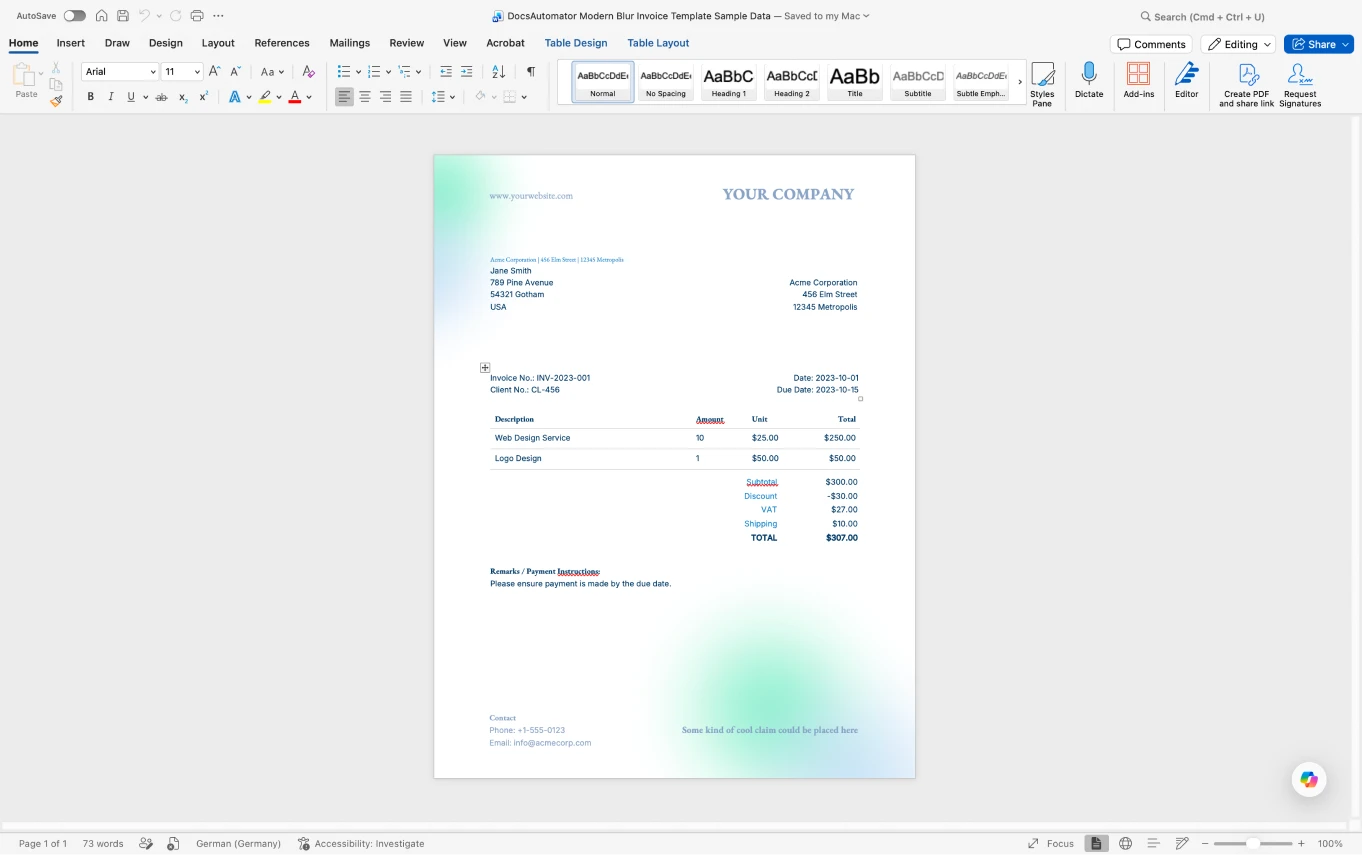
Use Your Existing Word Documents
Already have contracts, invoices, or reports in Word? Add placeholders to the .docx and you have an automation-ready template. No rebuilding from scratch.
Full Word Formatting
Keep the fonts, tables, headers, footers, page breaks, and layout you designed in Word. Your formatting carries through to every generated document.
Output as Word or PDF
Generate an editable .docx, a finished PDF, or both. Keep the Word file when colleagues need to make final edits, or deliver a locked PDF to clients.
No Lock-In
Templates are standard .docx files you own. Store them anywhere, open them in any word processor, and keep them if you ever move on.
Higher-Fidelity PDF Rendering with Microsoft
Connect a Microsoft account (optional) to render .docx templates to PDF with Microsoft's own engine, for the closest match to Word, especially floating elements, text boxes, and non-standard fonts. DocsAutomator suggests it automatically when a template needs it, and falls back to the default renderer if Microsoft is unavailable.
How it works
Get started in minutes
Upload Your Word Template
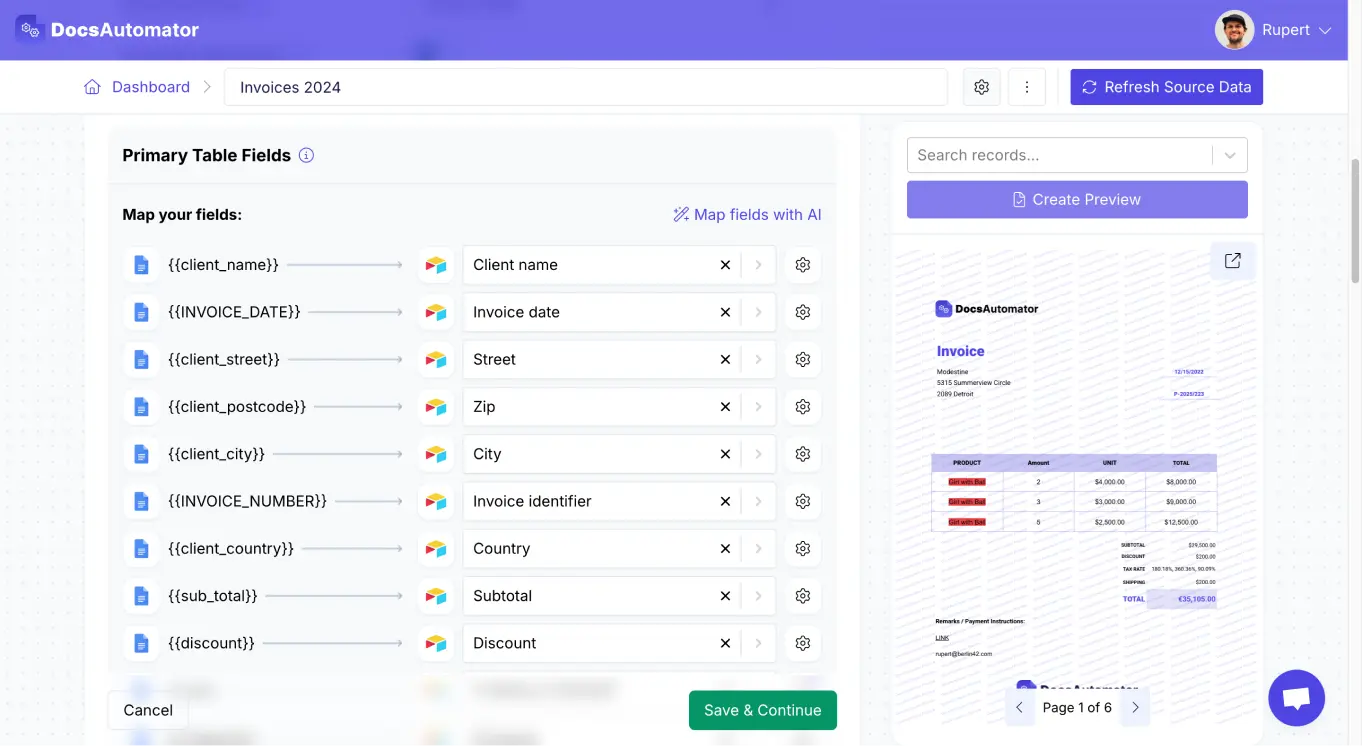
Connect & Map Your Data
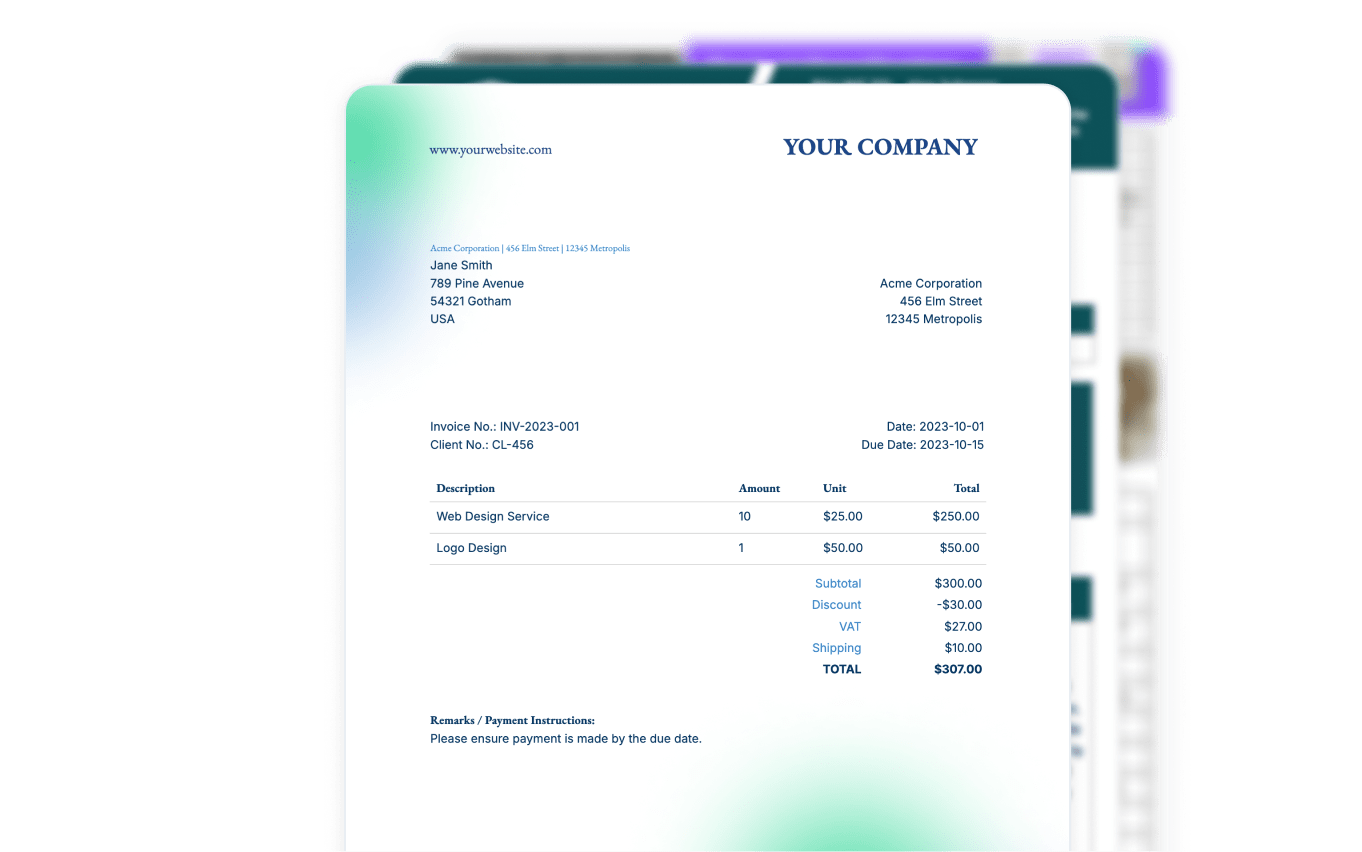
Generate Word or PDF Documents
Learn more in our Knowledge Base
Start automating & signing in minutes!
Use Cases
Popular ways teams use Word Templates
Contracts & Proposals
Turn your existing Word contracts and proposals into templates. Auto-fill client details, terms, and pricing from your CRM, then deliver as Word or PDF.
Explore Contract TemplatesInvoices & Receipts
Build invoice templates with tables, logos, and payment details in Word. Line items expand dynamically and totals pull straight from your data source.
Explore Invoice TemplatesReports & Summaries
Generate monthly reports, audit reports, and financial summaries from a single Word template with dynamic data tables.
Explore Report TemplatesAgreements & NDAs
Generate NDAs, service agreements, and partnership agreements pre-filled with party details, effective dates, and terms.
Explore Agreement TemplatesStatements of Work
Produce detailed SOWs with project scope, deliverables, timelines, and payment milestones from your project data.
Explore SOW TemplatesCertificates & Letters
Batch generate award letters, certificates, and personalized correspondence, each filled with unique recipient data.
Explore Certificate Templatesand many more...
Customer Voices
Don't take our word for it. Here's what our customers say about us:
I have to write 20 analysis reports about start-ups per year. It took me up to one week for the 40 pages. With the new airtable AI fields, combined with DocsAutomator, I'm down at around 6 hours of work per report and saved me almost 700h per year.

Christoph Bernhard
I have been exploring various solutions to streamline my business operations. I found myself having to choose between design and automation. However, that is now a thing of the past, and I am finally able to utilize all of my Google templates.

Johanes Automated
I had a complex process with Airtable and Fillout I was trying to work out and an Airtable consultant told me about DocsAutomator as a much better alternative to Airtable's Page Designer for external documents. She also said Rupert was very helpful.
Sabrina Allison
Great effort and promising product.
Yasin Hassanien
DocsAutomator is great to generate on the fly PDF documents. We use it for several applications. it's easy to implement and great to use. I can highly recommend it.
Samuel
DocsAutomator is everything the Page Designer in Airtbale should have been. It is a powerful automation platform that allows me to pull complex data from Airtable and apply a design that I have full control over!
Dustin
Placeholder Syntax & Capabilities
Everything you can automate inside a Word template
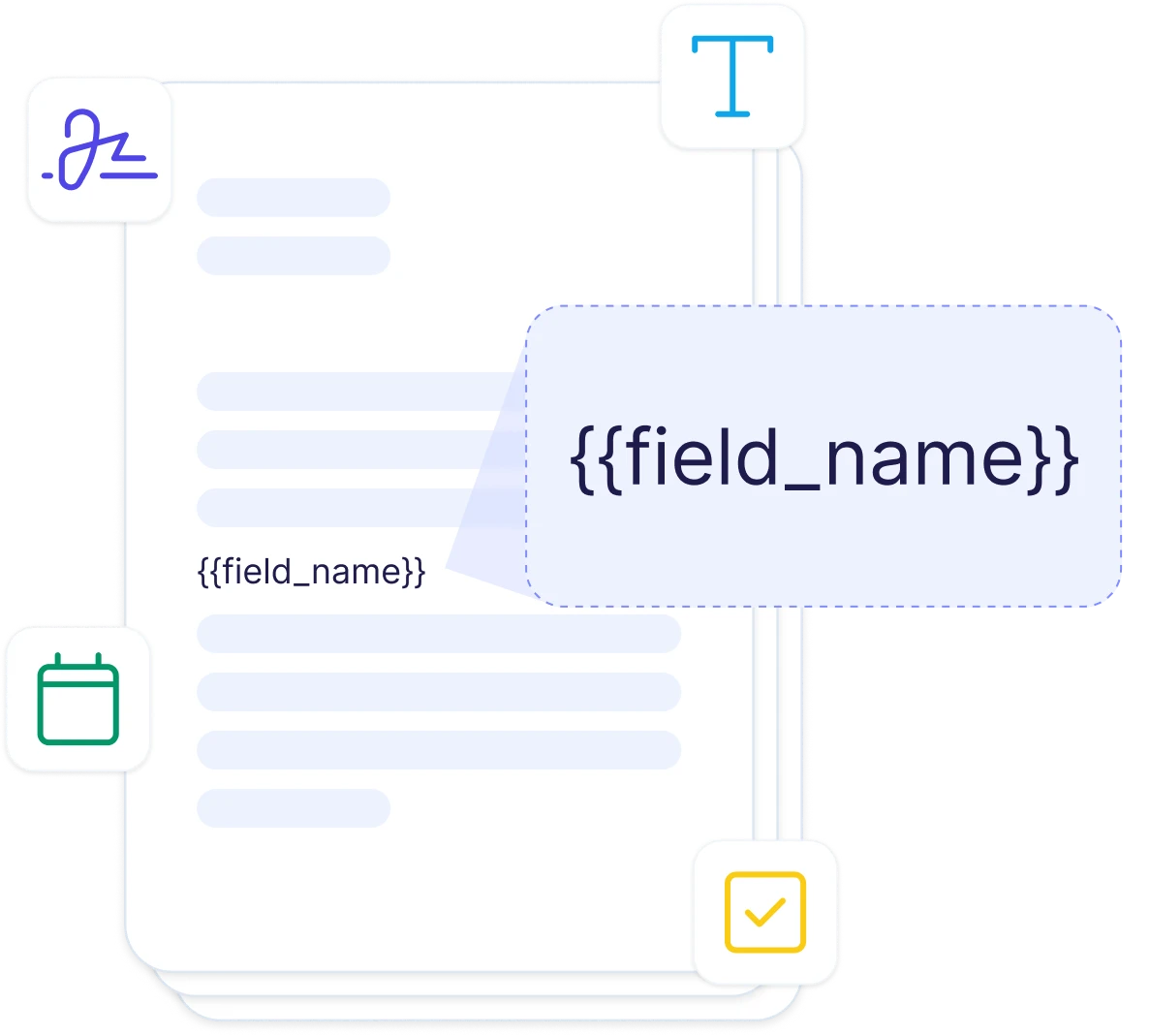
Simple Placeholders
Use {{field_name}} anywhere in your document to insert data. Works in headings, body text, headers, footers, and table cells. Any text you can type in Word can be a placeholder.
Tables & Line Items
Mark a table row with {{line_items_1}} to repeat it for each record. Perfect for invoice lines, order items, and report rows that grow with your data.
Dynamic Images
Insert images from your data source using {{image_field}}. Product photos, signatures, logos, and charts are all supported, sized to fit the placeholder's position.
Rich Text & Markdown
Map markdown-formatted fields to render bold text, lists, links, and headings inside your Word document, straight from your data source.
Start automating & signing in minutes!
Connect Word Templates to Any Data Source









Frequently Asked Questions
Start automating & signing in minutes!
Explore more features
Everything you need for document automation
AI Template Generator
Describe a document and let AI create a professionally designed Word (.docx) template for you.
Google Docs Templates
Build templates in Google Docs, one of the most intuitive document tools on the web.
E-Signatures
Collect legally binding e-signatures on your generated documents.
Email Automation
Generate documents and email them as PDF attachments automatically.
Dynamic Line Items
Handle invoices, reports, and itemized lists with dynamic line items including nested data.
Conditional Logic
Show, hide, or style content conditionally based on your data.
AI Field Mapping
Map or generate sample data in seconds with the help of AI.
PDF Generation & Delivery
Generate PDFs, save to Google Drive or OneDrive, send via email, or trigger webhooks.
Batch Processing
Generate dozens of documents in parallel with queue-based batch processing.
REST API
Generate documents programmatically with sync/async modes and webhooks.
AI & Agents
Give AI assistants the power to generate documents via MCP server.
Teams automating Word documents with DocsAutomator:







Automate your Word documents today
Connect your data, upload your .docx template, and generate Word and PDF documents on autopilot.
Unlimited testing, no credit card required